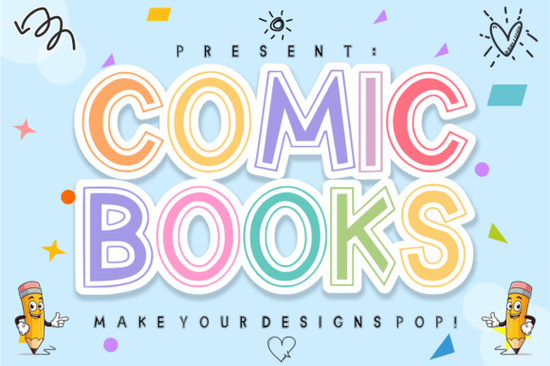
If you are looking for a typeface that screams fun without feeling messy, the Comic Books Font is exactly what you need. It is a high-energy display type that captures the spirit of classic comic adventures while keeping a clean finish suitable for modern projects. Unlike standard handwriting scripts, this design offers bold structure with hollow inline details, giving you plenty of room to play with layers and colors.
When creating assets for children, the goal is often to grab attention quickly. This style achieves that through its thick strokes and rounded edges. Whether you are selling on Etsy or designing party invitations for your local community center, having a font with personality helps your work stand out. Many creators use this to make colorful stickers, lunchbox decals, or even wall art that brightens up a classroom or bedroom.
How to Style the Double-Outlook Details
The standout feature of this particular set is the double-outline style. While some fonts fill the letter completely, the "hollow" nature here allows you to stack colors inside the main shape. You might choose a bright yellow fill with a red shadow to mimic a superhero costume logo. Alternatively, you can keep the letters transparent and place a pattern behind them for a textured look.
- Layering: Place a solid color shape behind the text for contrast.
- Glow Effects: Add a drop shadow to make the bubbles pop off the screen.
- Borders: Outline the entire phrase in black to sharpen the definition.
This technique works especially well when exporting files for vinyl cutting machines like Cricut or Silhouette Studio. Since the letters are defined clearly, the weeding process remains simple even with complex shapes. It reduces frustration during the production phase, allowing you to finish more orders in less time.
Pairing Complementary Types
No single font works for every project. Sometimes a display type needs a helper script to balance the layout. For example, mixing this heavy headline face with a thinner sans-serif body text creates good visual hierarchy. You might find a handwritten option that flows better for the longer captions describing your product details.
If you enjoy working with this bubble style but want to explore other options, consider checking out similar vibes in the collection. The design space for playful displays is vast. You could try Juicy Lemon for something fruitier, or Dusty if you prefer a softer edge that still feels retro. Each brings a unique flavor depending on whether your brand leans toward energy or calmness.
For water-themed designs, Waves Beach introduces fluid lines that contrast nicely with blocky letters. On the other hand, Oopsy Doodle offers a mischievous feel perfect for pranks or funny quotes. Exploring these variations helps you build a versatile toolkit for different client requests.
Navigation through these categories becomes easier when you know exactly what you are searching for. You can browse the full range at this specific display font page. Sticking to the right category ensures you do not waste time scrolling through unrelated serif or monospaced families. It keeps your workflow focused on decorative assets that drive sales.
Technical Compatibility and Licensing
Before buying, verify that your software supports the file types included. Most creators provide OTF and TTF formats which work in Photoshop, Illustrator, InDesign, and Affinity Designer. Some free versions allow personal use only, so always read the license agreement if you plan to sell physical products.
Creative Fabrica typically grants commercial rights for standard licenses. This covers things like merchandise, digital downloads, and social media graphics. However, strict rules apply to resale of the actual font files themselves. Make sure your end-users understand they cannot extract and redistribute the typeface as-is.
Understanding the legal boundaries protects your reputation and income stream. Keep records of your purchase receipts in case a platform ever challenges a claim. Having proof of license is a standard practice for professional designers and print-on-demand sellers.
Practical Next Steps for Your Project
Once you have downloaded the package, organizing your files is the best way to stay efficient. Create a folder named after the project rather than keeping everything in your main downloads directory. Label each file clearly so you know which version corresponds to which color scheme idea.
Try testing the output before mass production. Print a small sheet of paper with several sizes to check legibility. Sometimes a font looks great on screen but loses detail when printed at three inches tall. Adjust kerning manually if the spacing between two letters looks uneven visually.
Your Quick Checklist:
- Install the font in your system settings successfully.
- Test export settings in your design software (PNG, SVG, PDF).
- Verify the license covers your intended commercial use.
- Review the internal links available for browsing related collections.
By following these steps, you ensure a smooth transition from concept to finished product. Happy designing with the Comic Books family.
Explore Design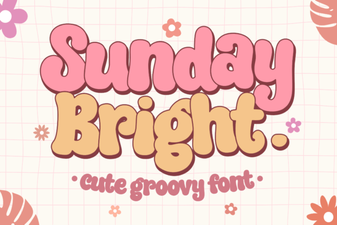 Sunday Bright Font: Design Ideas for Cheerful Projects
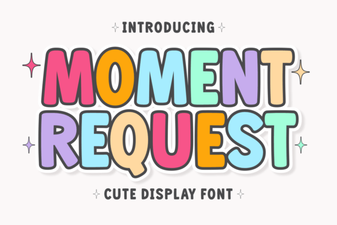 Download Moment Request Font for Creative Projects
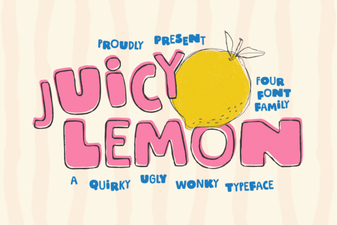 Download the Juicy Lemon Font for Fresh, Creative Designs
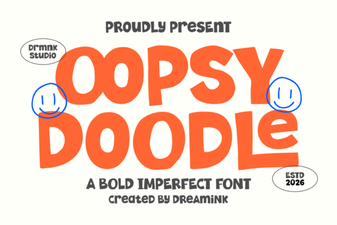 The Friendly Oopsy Doodle Font for Playful Designs
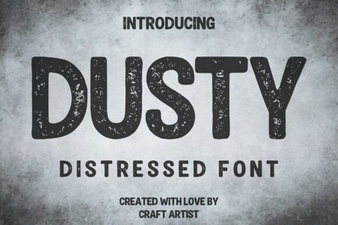 Dusty Fonts for Creative Design Projects
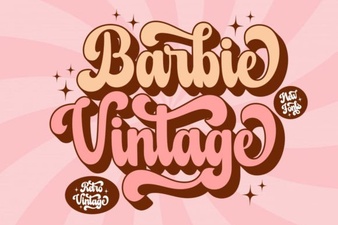 Craft Designs with Vintage Barbie Font Inspiration